

Data Loader#
The Cognify optimization process utilizes a user-provided training dataset to evaluate the workflow in iterations. Additionally, Cognify expects a validation dataset to evaluate its optimizations. Optionally, users can also provide a test dataset that is different from the validation dataset for post-optimization evaluation.
The training dataset and the validation dataset should provide a set of inputs and the ground-truth generation outputs. The format of the input and output can follow your workflow’s needs (e.g., text and text for QA workflows, text and SQL for text-to-SQL workflows), and the exact format should match your evaluator function signature.
The data loader function reads the datasets from users’ chosen data sources and return input-ground-truth pairs to Cognify.
It should be registered with @cognify.register_data_loader.
In each optimization iteration, Cognify runs all the data points in the training dataset to find the overall quality/cost of the optimized workflow.
Hint
For more consistent, generalizable optimization results, your training dataset should be diverse enough to cover key use cases.
Meanwhile, the larger your dataset is, the longer and more costly Cognify’s optimization process will be. Ideally, you should provide one data point per usage category. For cases where this is hard to know, we recommend you to first try a small dataset with a few iterations and resume with more data and iterations.
Define the Data Loader#
In our math-solve example, the signature of the workflow and evaluator functions are as follows:
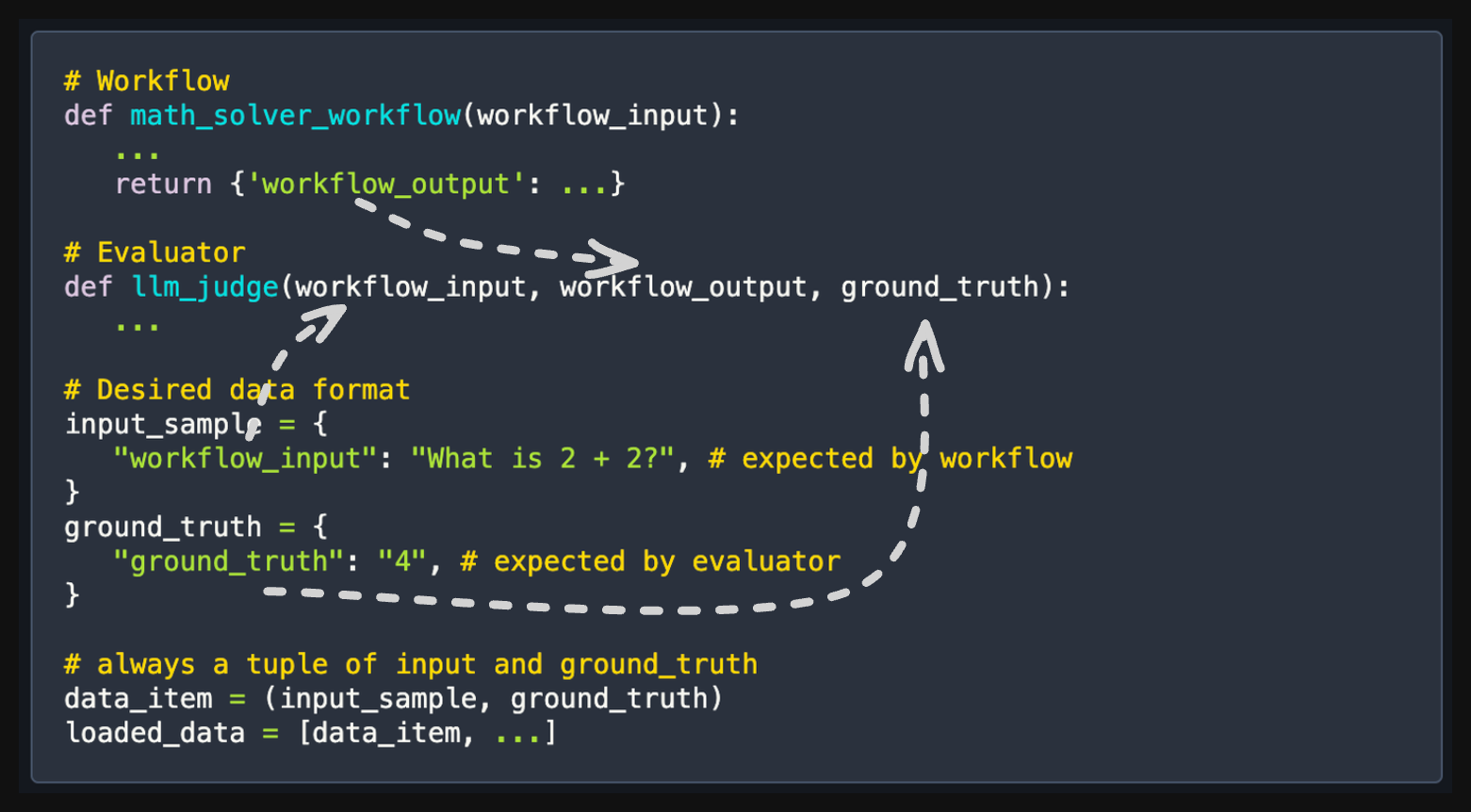
Finally, we define the data-loader function for this example, which returns a train, validation, and test dataset as follows:
import cognify
import json
import random

@cognify.register_data_loader
def load_data():
   with open("data._json", "r") as f:
      data = json.load(f)

   random.seed(42)
   random.shuffle(data)
   # format to (input, ground_truth) pairs
   new_data = []
   for d in data:
      input_sample = {
         'workflow_input': d["problem"],
      }
      ground_truth = {
         'ground_truth': d["solution"],
      }
      new_data.append((input_sample, ground_truth))

   # split the data into train, validation, and test
   return new_data[:30], None, new_data[30:]
Raw data in the data source file data._json looks like looks like this:
[
   {
      "problem": "What is 2 + 2?",
      "solution": "4",
   },
   ...
]
Cognify uses the data loader and evaluator in the following way:
generation = workflow(**input_sample)
score = evaluator(**input_sample, **generation, **ground_truth)
Note
The input_sample, generation, and ground_truth are all made available to the evaluator function for convenience.
That means the following evaluator definition is all valid:
def llm_judge(workflow_input, workflow_output, ground_truth):
   ...

def llm_judge(workflow_output, ground_truth):
   ...

def llm_judge(workflow_input, workflow_output):
   ...

# and so on